
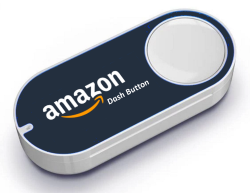
DashBtn
DashBtn is a Docker service that intercepts Amazon Dash Button presses and triggers configurable home-automation tasks, letting homelab users repurpose unused…
Platform availability
Available on 1 of 10 platforms
- Unraid
- TrueNAS (not listed)
- Umbrel (not listed)
- ZimaOS (not listed)
- Proxmox (not listed)
- Helm (not listed)
- Mac (not listed)
- Windows (not listed)
- Linux (not listed)
- Any server (not listed)
Health score?A 0-100 score computed nightly from four factors: maintained (40%: recent commits and steady activity), popular (25%: GitHub stars, log scale), easy to install (20%: platforms, install notes, setup guides, Docker image) and light to run (15%: minimum RAM, ARM support). When the source code has been checked, a fifth factor, security check (20%: automated scan for committed secrets, unsafe desktop-app settings, known-vulnerable dependencies and project hygiene; any serious finding caps it at 20), is added. Factors without data are left out and the rest are rescaled.
24/100 Low
- Maintained
- 0last commit 2417 days ago
- Popular
- 198 GitHub stars
- Easy to install
- 351 install platform, install notes, Docker image
- Light to run
- 85512 MB minimum RAM
Availability: platform listings confirmed today, links checked 40 days ago
- GitHub stars
- 8
- Open issues
- 0
- Last commit
- 2020-04-08
- License
- MIT
- Activity
- stale
Checked 18 days ago - source: GitHub (ninthwalker/dashbtn)
Resources & Compatibility
Minimum requirements: 512 MB RAM. ARM (e.g. Raspberry Pi) is not supported.
Checked 54 days ago - source: Docker Hub image tags and published docs
First-install notes
- Initial setup First configure the Dash Button in the Amazon app but stop before choosing a purchase. Then run docker exec -it dashbtn sh, run /config/dashbtn.py discover, press the button for 10 seconds, stop with Ctrl+C, and add the discovered MAC address and friendly name to dashbtn.py. source
Fetched 46 days ago - each note links to its source
Variants
Alternatives
No alternatives collected yet.
Common questions
Where should I stop when setting up a Dash Button in the Amazon app?
Configure the button in the Amazon app, but stop before selecting an item to purchase.
How do I discover a Dash Button's MAC address?
Run docker exec -it dashbtn sh and then /config/dashbtn.py discover. Press the button, wait 10 seconds, stop with ctrl+c, and check dashbtn.log in the appdata folder.
Which file do I edit to map a button to an action?
Edit dashbtn.py in the appdata directory to add the button's MAC address, a friendly name, and the script to execute.
When do DashBtn configuration changes take effect?
Restart the Docker container after editing dashbtn.py or adding the automation scripts.
Answers sourced from github.com
Community
- Dashboards : r/selfhosted - Reddit (reddit)
Collected 53 days ago - public community threads