
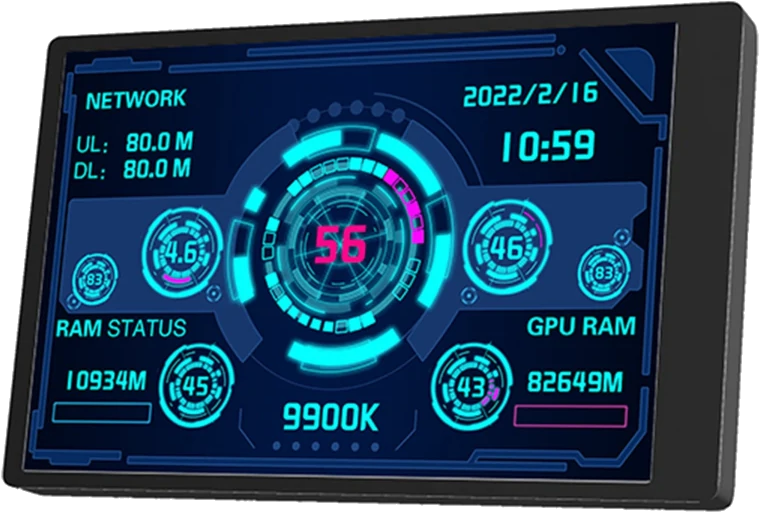
Turing Smart Screen
Turing Smart Screen is an open-source Python application that displays system statistics and customizable dashboards on compatible screens, giving homelab…
Platform availability
Available on 1 of 10 platforms
- Unraid
- TrueNAS (not listed)
- Umbrel (not listed)
- ZimaOS (not listed)
- Proxmox (not listed)
- Helm (not listed)
- Mac (not listed)
- Windows (not listed)
- Linux (not listed)
- Any server (not listed)
Health score?A 0-100 score computed nightly from four factors: maintained (40%: recent commits and steady activity), popular (25%: GitHub stars, log scale), easy to install (20%: platforms, install notes, setup guides, Docker image) and light to run (15%: minimum RAM, ARM support). When the source code has been checked, a fifth factor, security check (20%: automated scan for committed secrets, unsafe desktop-app settings, known-vulnerable dependencies and project hygiene; any serious finding caps it at 20), is added. Factors without data are left out and the rest are rescaled.
73/100 Good
- Maintained
- 95last commit 77 days ago
- Popular
- 672,333 GitHub stars
- Easy to install
- 351 install platform, install notes, Docker image
- Light to run
- No data
Based on 3 of 4 factors.
Availability: platform listings confirmed today, links checked 31 days ago
- GitHub stars
- 2,333
- Open issues
- 163
- Last commit
- 2026-09-04
- Latest release
- 3.10.0
- License
- GPL-3.0
- Activity
- stale
Checked 21 days ago - source: GitHub (mathoudebine/turing-smart-screen-python)
Resources & Compatibility
ARM (e.g. Raspberry Pi) is not supported.
Checked 54 days ago - source: Docker Hub image tags and published docs
First-install notes
- Create your account and device name Create a login account, choose a strong password, and set a hostname before finishing setup. This gives the device a predictable name and a local login, so you do not have to guess how to sign in or find it on the network. source
- Add Docker setup IDs to dietpi.txt Before running the OS setup, add the three software IDs shown in the docs (17, 134, and 162) to dietpi.txt, the setup instructions file. That makes Docker, Docker Compose (a helper for starting multi-container apps), and Git install automatically, so the app is less likely to be missing required tools. source
- Start GlusterFS at boot if using shared storage If your setup uses GlusterFS (network storage that shares files across machines), start and enable the glusterd service after installing it. That keeps the shared folders available after a reboot, instead of making them suddenly unavailable to the app. source
- Initial setup Set the required environment variables and screen mapping, check dmesg after connecting the screen to identify the device name, and map the NVIDIA GPU when GPU acceleration is required. source
Fetched 45 days ago - each note links to its source
Variants
Alternatives
No alternatives collected yet.
Common questions
How can I force a Turing Smart Screen to be detected on single-board machines with USB issues?
Force the USB bus speed to USB1.1 because the screen usually embeds a USB1.1 controller. Add dwc_otg.speed=1 to /boot/cmdline.txt and reboot.
What should I check first if the Python version does not start after downloading?
Check that the downloaded zip was extracted and that you are in the correct current directory. Then install the required packages with pip.
How do I create a custom 3.5-inch theme without the default stats?
Start from a matching-size template. Remove the stats and static text sections in theme.yaml.
Has a 5-inch Turing Smart Screen failed to connect on a fresh Windows setup?
A user reports the software refusing to connect to a 5-inch screen after fresh drivers, and says it may be due to Windows 11.
Answers sourced from github.com, www.reddit.com, www.reddit.com, www.reddit.com
Community
- Help using Python Turing Smart Screen software? Please? - Reddit (reddit)
- Turing Smart Screen - This could make a nice dash display for ... - Reddit (reddit)
- Turing Smart Screen Help : r/techsupport - Reddit (reddit)
- Turing Smart Screen 3.5 : r/techsupport - Reddit (reddit)
- turing-smart-screen-python on GPIO LCDs - Raspberry Pi Forums (forum)
- TURZX Display - Hardware monitoring - AIDA64 Discussion Forum (forum)
Collected 53 days ago - public community threads