
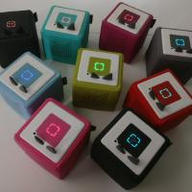
TeddyCloud
TeddyCloud is a self-hosted alternative server for Toniebox that lets owners host figurine audio files locally and control which data is sent to the…
Platform availability
Available on 2 of 10 platforms
Health score?A 0-100 score computed nightly from four factors: maintained (40%: recent commits and steady activity), popular (25%: GitHub stars, log scale), easy to install (20%: platforms, install notes, setup guides, Docker image) and light to run (15%: minimum RAM, ARM support). When the source code has been checked, a fifth factor, security check (20%: automated scan for committed secrets, unsafe desktop-app settings, known-vulnerable dependencies and project hygiene; any serious finding caps it at 20), is added. Factors without data are left out and the rest are rescaled.
62/100 Good
- Maintained
- 79last commit 9 days ago
- Popular
- 3240 GitHub stars
- Easy to install
- 452 install platforms, install notes, Docker image
- Light to run
- No data
- Security check
- 85no serious findings, CI
Based on 4 of 5 factors.
Availability: platform listings confirmed today, links checked 2 days ago
- GitHub stars
- 40
- Open issues
- 1
- Last commit
- 2026-11-12
- Latest release
- v0.5.8
- License
- MIT
- Activity
- rising
Checked 5 days ago - source: GitHub (mrueg/addon-teddycloud)
Resources & Compatibility
Requirements not published yet.
Checked 54 days ago - source: Docker Hub image tags and published docs
First-install notes
- Open the app in your browser after starting After you start the Docker Compose stack (the set of containers that run the app), open http://localhost:8080 in your browser; if Docker runs without root (administrator) access, use port 8443 or 8444 instead. Without the correct local web address, the app may be running but your browser will not find the first-run page. source
- Keep the run folder and server certificates The first setup creates a run/ folder and server certificates (files that let your browser trust the secure web address); keep them so restarts reuse the same identity. If they are deleted, you may have to repeat setup or get browser security warnings. source
- Use exact MQTT topic names for automations If you add MQTT control (a messaging system for automations), use the exact topic pattern teddyCloud/box/<box common name>/... so commands reach the right device. Wrong topic or box name makes the app ignore the message. source
Fetched 48 days ago - each note links to its source
Variants
Alternatives
No alternatives collected yet.
Common questions
Why does TeddyCloud require port 443 for the Toniebox connection?
TeddyCloud exposes the API that the Toniebox accesses on port 443. If Home Assistant or a reverse proxy already uses that port, you need to change that port to another one.
Where are TeddyCloud certificates, configuration, and data stored in the Home Assistant add-on?
Certificates are stored under /config/teddycloud/certs, configuration under /config/teddycloud/config, and data under /data/. You can retrieve these files by downloading a Home Assistant backup.
Which local address should I open for TeddyCloud after a Docker Compose first run?
Open local port 8080 in your browser after starting the stack, or use port 8443 or 8444 if Docker runs without root access. Keep the generated run folder and server certificates so restarts reuse the same identity.
What MQTT topic pattern should I use when controlling TeddyCloud boxes?
Use the exact topic pattern teddyCloud/box/<box common name>/... so commands reach the right device. A wrong topic or box name makes the app ignore the message.
How can I visualize Toniebox state in a Home Assistant dashboard?
Enable MQTT in TeddyCloud settings with your MQTT broker, credentials, and a topic prefix. After a successful connection, TeddyCloud Server and Toniebox devices appear, and you can use their sensors in dashboard cards.
Answers sourced from github.com, github.com, github.com
Community
- Reddit (reddit)
- teddycloud (u/teddycloud) - Reddit (reddit)
- Latest TeddyCloud topics - RevvoX Discourse (forum)
- Toniebox Reverse Engineering (37C3) - Das deutsche Synology Support Forum (forum)
Collected 49 days ago - public community threads